At the end of a club fitting, you often walk away with a printout or screen full of numbers. Ball speed, launch angle, spin, carry, smash factor and dispersion can look intimidating at first. This guide has launch monitor data explained for club buyers, so you can understand what each number means, which ones matter most for different clubs, and how to use them to make a smarter decision.
Disclosure: Best Golf Clubs may earn a commission from qualifying purchases made through links on this site, including as an Amazon Associate, at no extra cost to you.
Why Launch Monitor Numbers Matter to Buyers
A launch monitor measures what the ball and club do around impact. As a result, it turns “that felt good” into something you can compare. When you are deciding between two drivers, two shafts or two sets of irons, the numbers help you see which option actually performs better for your swing.
However, numbers only help if you know how to read them. A single long drive tells you very little. Instead, you want averages and patterns across many swings.
Launch Monitor Data Explained: The Core Numbers
Club Head Speed
This is how fast the club is moving just before impact. It is mostly a measure of your swing rather than the equipment. Even so, it helps a fitter recommend suitable shaft flex, weight and loft. Our guide on choosing golf clubs by swing speed explains how this number shapes equipment choices.
Ball Speed
This number shows how fast the ball leaves the clubface. It is one of the strongest drivers of distance. Generally, solid center strikes produce higher ball speed than off-center hits, so it also reflects strike quality.
Smash Factor
Smash factor is ball speed divided by club head speed. In other words, it shows how efficiently energy transfers from club to ball. A higher number usually means a more centered strike. Drivers typically produce the highest smash factor, and the number generally drops as loft increases through the irons and wedges.
Launch Angle
This is the vertical angle at which the ball leaves the face, relative to the ground. It is influenced by the club’s loft, how much loft you deliver at impact and your angle of attack. If it is too low, the ball may not carry far enough. On the other hand, if it is too high, the ball may balloon and lose distance.
Spin Rate
This measures how fast the ball rotates backward, usually in revolutions per minute (rpm). Backspin keeps the ball in the air and helps it stop on the green. With a driver, too much spin can cost distance, while too little can make the flight drop early. For irons and wedges, enough spin is important for holding greens.
Carry Distance and Total Distance
Carry is how far the ball flies in the air. Total distance adds the roll after landing. For club buying, carry is usually the more reliable number because roll depends heavily on turf conditions.
Peak Height and Descent Angle
Peak height is the highest point of the ball flight. Descent angle, sometimes called landing angle, is how steeply the ball comes down. A steeper descent tends to help shots stop faster, which matters a lot for irons.
Dispersion
Dispersion shows how spread out your shots are, both left to right and short to long. It is often displayed as a pattern or ellipse. For many golfers, a tighter dispersion is more valuable than a few extra yards, because it keeps the ball in play.
Which Numbers Matter Most for Each Club
| Club type | Key numbers to watch | What you are usually looking for |
|---|---|---|
| Driver | Ball speed, launch, spin, dispersion | Efficient launch and spin with a playable miss |
| Fairway woods and hybrids | Launch, peak height, carry | Enough height to carry and hold greens from distance |
| Irons | Carry consistency, spin, descent angle | Predictable carry and shots that stop |
| Wedges | Spin, launch, carry on partial swings | Control and consistent distance gaps |
Notice that distance is not the main goal for every club. For irons and wedges in particular, consistency and stopping power often matter more.
How to Read a Printout Step by Step
- Check the number of shots. A reliable comparison needs a reasonable sample, not three swings.
- Remove obvious mishits. Many fitters exclude extreme outliers so the averages reflect your normal swing.
- Compare averages, not best shots. The best single hit is rarely what you will see on the course.
- Look at carry consistency. A club with a slightly shorter average but a tighter carry window may score better.
- Study dispersion. Which option keeps your misses smaller and more predictable?
- Connect the numbers. For example, low launch with high spin suggests a different fix than high launch with low spin.
Reading Launch Monitor Data Through Common Patterns
Numbers become more useful when you read them together. Here are a few common combinations and what they often suggest:
- High spin and high launch with a driver: the ball may balloon. A fitter might suggest less loft, a different head or a lower-spinning shaft.
- Low launch and low spin: the ball may fall out of the sky. More loft or a higher-launching setup could help.
- Inconsistent smash factor: strike location may be scattered. Sometimes a different length or lie angle improves contact.
- Iron shots with shallow descent: approaches may roll through greens. Lofts or shaft profile might need adjusting.
- Overlapping carry distances: two clubs are doing the same job, which suggests a gapping problem.
Speaking of gaps, once you know your carry numbers you can build a more even set. Our article on golf club distance gaps walks through that process.
Indoor vs Outdoor Data
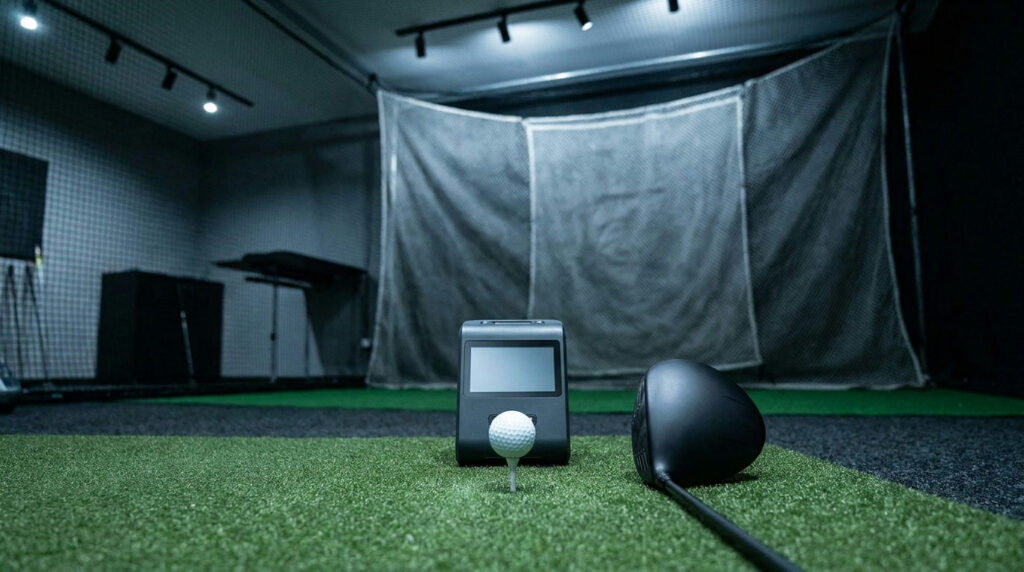
Launch monitors can be used indoors or outdoors, and the readings can differ. Indoors, some systems calculate flight from the measured launch data rather than watching the full ball flight. Meanwhile, outdoor sessions are affected by wind, temperature and ball type. Neither is wrong, but it is smart to compare clubs under the same conditions and with the same type of ball.
Equipment coverage from GOLF.com’s gear section regularly discusses fitting technology, and teaching professionals affiliated with the PGA of America often use launch monitors to connect swing changes with ball flight.
Mistakes to Avoid When Using the Numbers
- Chasing one big number. Maximum ball speed means little if the dispersion is wild.
- Ignoring feel and confidence. Numbers matter, but so does how comfortable you are standing over the ball.
- Comparing across different devices. Different launch monitors can read slightly differently, so compare within one session.
- Testing when tired. Fatigue changes your swing. Take breaks and stay hydrated.
Frequently Asked Questions
What is the most important launch monitor number?
It depends on the club. For drivers, ball speed with sensible launch and spin is key. For irons and wedges, carry consistency and spin usually matter more.
Should I buy my own launch monitor?
Some golfers find personal launch monitors helpful for practice and gapping. However, a professional fitting usually provides more context and expert interpretation.
How many shots should I hit with each club?
Enough to see a clear pattern. Many fitters prefer a solid group of representative swings rather than a handful of attempts.
Final Thoughts
With launch monitor data explained, a fitting printout becomes a useful tool rather than a wall of numbers. Focus on averages, dispersion and how the numbers fit together. Then, choose the option that gives you the most consistent results, not just the longest single shot.
This guide is general information. For the best results, consider a professional club fitting or a lesson with a qualified golf professional.